

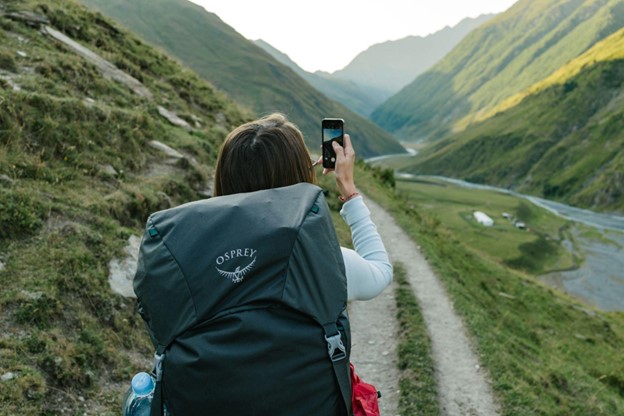
If you’re heading to Southeast Asia, your trip begins before you board the plane; it starts with getting your tech prepared.
Your phone is essential for things like maps, translations, and staying connected. But without the proper setup, you might face high roaming fees, security risks, or lose access.
In this article, learn how to prepare your devices with the right apps, tools, and privacy settings.
Prep Your Tech Before Leaving Western Sydney
Here are four key steps to take before leaving Western Sydney to ensure smooth and safe travels:
1: Check Regional SIM and eSIM Compatibility
When travelling from Western Sydney to Southeast Asia, it’s essential to understand how SIM and eSIM technology work in each country to stay connected easily and affordably.
An eSIM (embedded SIM) lets you download mobile carrier profiles digitally; there’s no need for a physical SIM card. Countries like Singapore, Malaysia, Thailand, Vietnam, and parts of Indonesia support eSIM technology, but proper configuration is essential.
For example, if you visit Indonesia and want to use an eSIM for Indonesia, check if your device supports the GSMA standard (SM-DP+) for remote SIM provisioning. Also, check if local carriers allow eSIM activation for tourists.
Before travelling, follow these steps:
- Ensure your phone is unlocked and supports eSIMs in the countries you visit.
- Download eSIM profiles for your destinations before leaving, using a secure connection like a VPN.
- Check if the countries you’re visiting require ID verification for SIM activation. For example, Vietnam and Indonesia have this requirement, which could delay setup if not prepared beforehand.
2: Prepare Travel Documents in Digital Format
Losing your travel documents abroad can ruin your trip and even lead to identity theft. So, make secure digital copies of all essential documents before leaving Western Sydney. Vital documents include your passport’s ID page, visa approvals, vaccination records, travel insurance policy, and accommodation details.
Save these documents as password-protected PDFs or other encrypted formats. Use a cloud storage service with strong security, like end-to-end encryption.
Also, avoid storing sensitive files in your phone’s gallery or downloads folder. Instead, use a secure password manager or encrypted storage app. Look for features like biometric login and offline access to access your files even without internet.
For added protection, turn on two-factor authentication for all cloud accounts that store your documents. You can also carry a hardware-encrypted USB drive with these backups.
3: Turn on Find My Device and Location Tracking
If you lose your phone, these settings can help you find or erase it. iPhones have “Find My iPhone”, and Android phones have “Find My Device.”
iPhone steps:
- Settings > [your name] > Find My > Find My iPhone and turn it on.
- Switch on “Send Last Location.”
- Make sure iCloud and two-factor security are active.
Android steps:
- Settings > Security > Find My Device and turn it on.
- Check your device on the Google dashboard.
- Allow remote lock, erase, and location access.
Before you pack your bags, remove unnecessary location permissions from apps to protect your privacy while travelling.
Copyright: Unsplash I License: CC0 Domain
4: Language Translation Tools That Work Offline
Language can be a barrier in Southeast Asia. Download offline language packs in Google Translate for Vietnamese, Thai, and Indonesian. Google Translate lets you use your camera to scan signs and menus. The app also offers simple voice translation for conversations.
Some apps do better with local languages. Papago is reliable with Thai and Indonesian, while Yandex Translate often handles common phrases well. Test the apps in Western Sydney so you know what to expect when you need them.
By setting this up, you can communicate or understand signs, even without the internet.
Your Digital Setup Is Your Travel Safety Net
Travelling through Southeast Asia is easier when you prepare your devices correctly. Simple steps like downloading offline translation apps and setting up an e-SIM can save you from big problems later.
Before leaving Western Sydney, organise your phone, update your apps, and back up important files. With the proper prep, you’ll feel more confident, stay safer, and enjoy your trip without worrying about tech issues.

The above article is paid content, and any information presented should be independently verified before making any decisions as a result of the content. This article does not constitute advice of any kind, nor does it represent the opinions of the website publisher.